
E-Readers vs. Tablets for Reading: What Changes in Practice

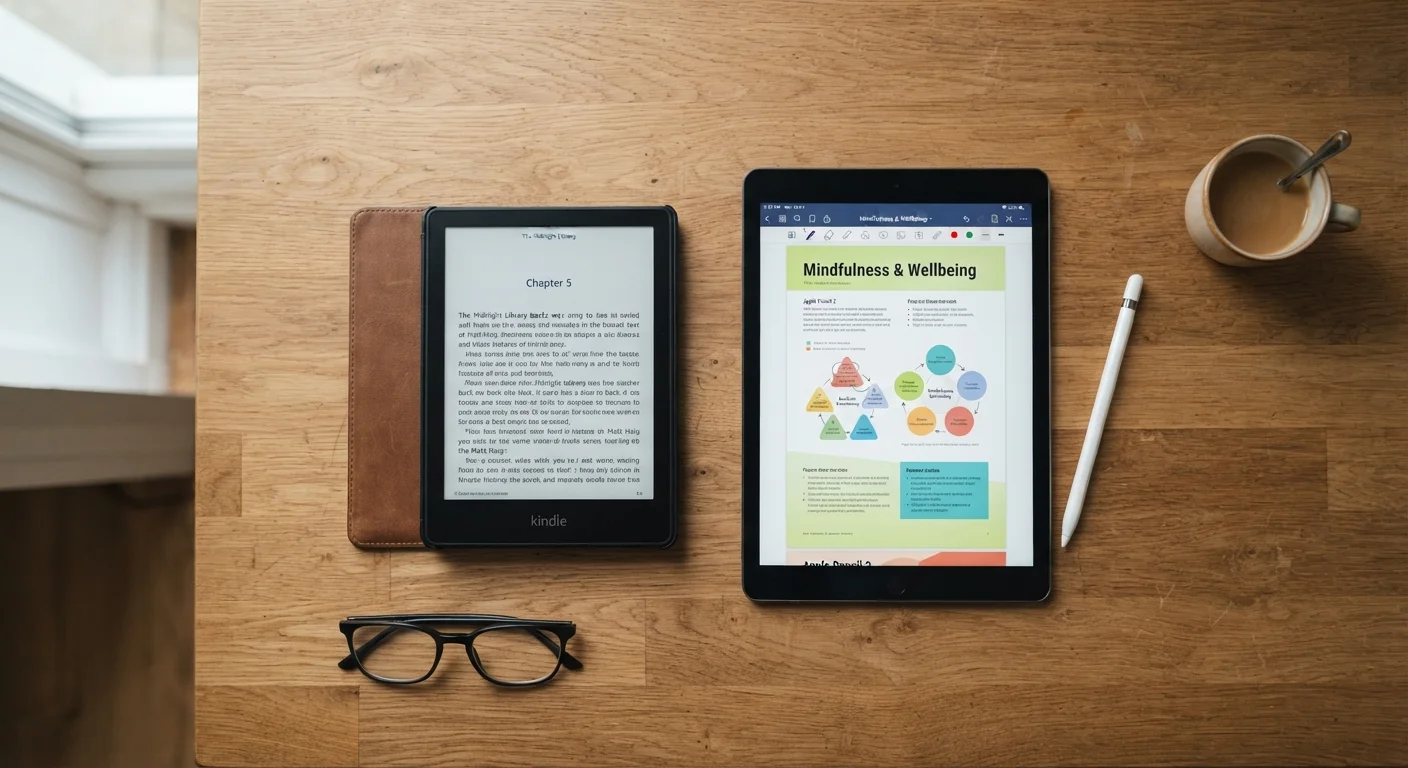
Photo: InfoAlly.net | Finding Info Made Easy editorial
Key Takeaways
- E-readers use e-ink screens that reduce eye strain during long reading sessions.
- Tablets offer versatility but introduce notifications and app distractions that interrupt reading.
- Battery life on dedicated e-readers typically lasts weeks; tablets usually last hours to a day.
- E-readers are lighter and easier to hold one-handed for extended periods.
- Tablets excel for magazine layouts, comics, and color-rich content that e-ink can't render well.
How the Screen Technology Changes Everything
The single biggest difference between an e-reader and a tablet isn't size or price - it's the screen itself. E-readers use e-ink (electronic ink) displays, which work by physically rearranging tiny charged particles to form text. The result looks remarkably like printed paper, reflects ambient light just as paper does, and emits no backlight of its own.
Tablets use LCD or OLED screens - the same technology as smartphones and computer monitors. These screens are bright, vivid, and capable of showing video and color images with precision. But they emit direct light toward your eyes, which many readers report feeling fatiguing during longer sessions.
In practice, this means that sitting with an e-reader for two hours tends to feel physically closer to reading a paperback than staring at a laptop. Outdoors in sunlight, e-ink screens actually become easier to read as ambient light increases, while tablet screens wash out and become harder to see without cranking brightness to maximum.
| E-Reader | Tablet | |
|---|---|---|
| Screen type | E-ink (reflective, paper-like) | LCD or OLED (backlit, vivid) |
| Eye comfort for long sessions | Generally lower fatigue | Can cause fatigue over time |
| Outdoor readability | Excellent in sunlight | Washes out; needs high brightness |
| Battery life | Weeks per charge | Hours per charge |
| Typical weight | 6-8 oz (light, one-handed) | 12-25 oz (heavier) |
| Color and image quality | Limited (mostly grayscale) | Full color, high fidelity |
| Distraction potential | Very low (limited apps) | High (full app ecosystem) |
| PDF and magazine support | Awkward on fixed layouts | Natural, rendered as designed |
Battery Life and Weight: Small Numbers, Big Impact
Battery life sounds like a technical spec until you're on a long flight or a weekend trip and forgot to charge. E-readers refresh their screens only when the page turns, drawing very little power in between. This design means most e-readers last several weeks on a single charge with typical use.
Tablets, by contrast, are running active processors, backlights, and often background apps. Expect anywhere from four to twelve hours of screen-on time depending on the model and settings. That's perfectly adequate for a day trip, but requires nightly charging - the same discipline needed for a smartphone.
Weight matters too. Most dedicated e-readers fall in the 6-8 oz range, making one-handed reading comfortable for long stretches. Tablets generally weigh two to three times more. After an hour of holding a tablet up in bed, that difference becomes very real.
Make Charging Part of a Routine
Distraction and Focus: A Genuine Behavioral Difference
A tablet is a general-purpose computer. While reading a novel, you're never more than a swipe away from social media, email, streaming video, or a web browser. Research into digital attention consistently suggests that the availability of interruption - even when you resist it - affects how deeply readers engage with text.
An e-reader, by design, does very little else. Most run stripped-down software with limited app ecosystems. That constraint is a feature for many readers: the device simply presents the book, and the temptation to switch tasks is largely absent.
If you're the kind of reader who sits down intending to read for an hour but finds yourself checking messages ten minutes in, this behavioral difference may matter more than any spec sheet comparison. See how other everyday devices shape habits in our complete overview of phones and wearables.
Where Tablets Hold a Clear Advantage
E-readers aren't the right answer for every reading context. Their e-ink screens are grayscale on most models, making them a poor fit for illustrated books, comics, graphic novels, and magazines where color and layout are central to the experience. Some newer e-readers include color e-ink, but color reproduction still lags behind tablet displays significantly.
PDFs and formatted documents can also be awkward on e-readers because the fixed-page layout doesn't reflow text the way a novel does. Tablets handle these formats naturally, rendering pages as designed.
Tablets also support a wider range of reading apps simultaneously - you can switch between library services, purchase platforms, and note-taking tools without friction. For students or professionals reading annotated documents, that flexibility is genuinely useful.
For context on how different devices fit into daily routines beyond reading, the Phones & Wearables hub covers a range of consumer device decisions.
~6 weeks
Typical e-reader battery life
Most dedicated e-readers advertise battery life measured in weeks, not hours, based on average daily reading of around 30 minutes.
~6-8 oz
Average e-reader weight
Dedicated e-readers typically weigh significantly less than entry-level tablets, which commonly start around 12-14 oz.
The content on this site is for informational purposes only and is not a substitute for professional advice. Always consult a qualified professional for guidance specific to your situation.