
Phones & Wearables

Buying a Second-Hand Smartphone: What to Check Before You Commit

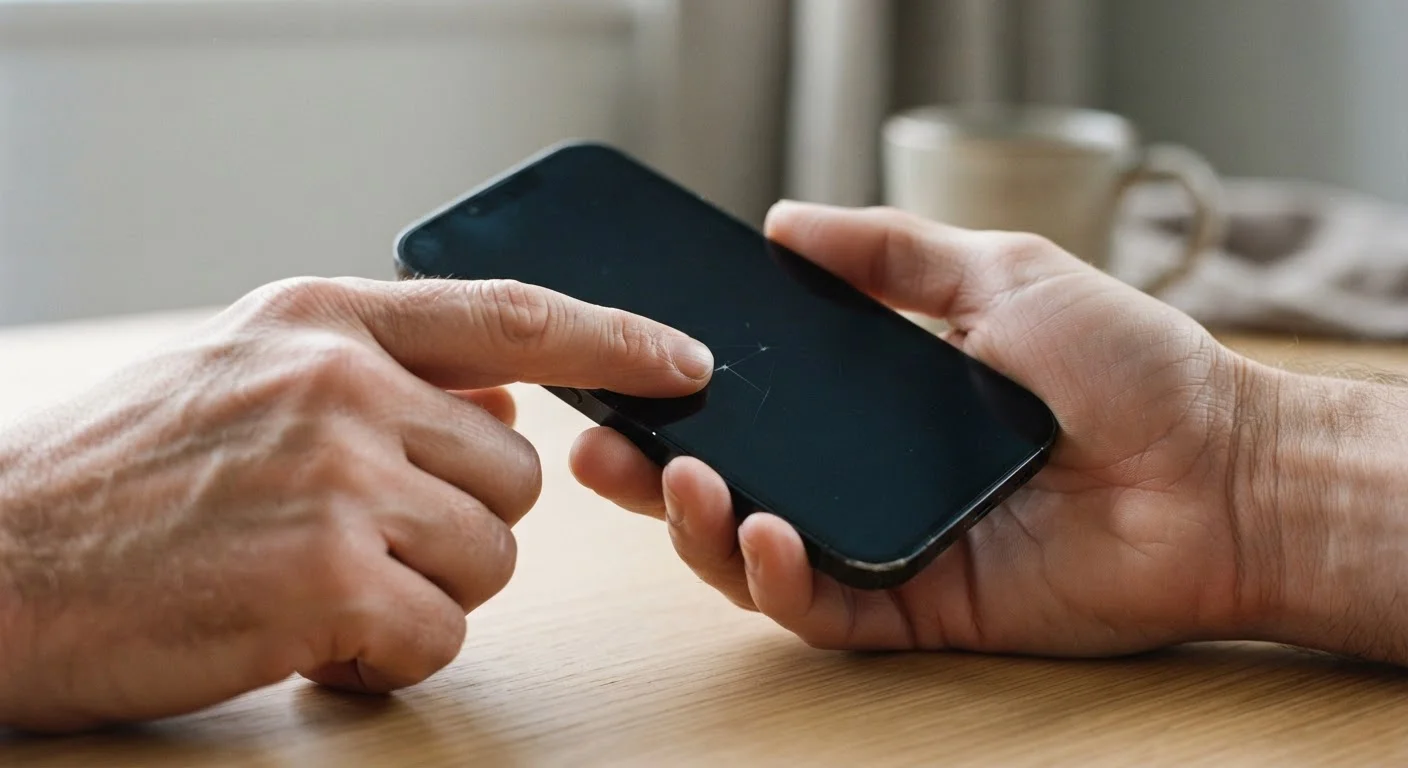
Buying a Second-Hand Smartphone: What to Check Before You Commit

Photo: InfoAlly.net | Finding Info Made Easy editorial

A used phone can be a smart choice — if you know what to look for. Use this checklist to inspect condition, history, and compatibility.

Key Takeaways

  • Always verify a phone's IMEI number to confirm it isn't reported stolen or blacklisted.
  • Check carrier lock status before buying to ensure it works on your network.
  • Battery health is one of the most common hidden costs in second-hand phones.
  • Test every hardware feature — camera, speakers, ports — before handing over payment.
  • Factory reset a used phone before first use to remove the previous owner's accounts and data.

Why a Second-Hand Phone Deserves More Than a Quick Glance

Buying a used smartphone can stretch your budget significantly — you can often get a more capable device than you'd afford new. But unlike buying new, there's no returns policy or warranty safety net by default, which means what you see at the point of sale is what you're committing to.

The good news: most problems with second-hand phones are detectable if you know what to look for. This checklist walks you through everything worth checking before money changes hands — whether you're buying from a private seller, an online marketplace, or a refurbished retailer.

If you're still deciding whether buying a used device is the right call at all, our pre-purchase gadget checklist can help you think it through first.

Required

IMEI Checker (free online tools)

Verify whether a phone has been reported stolen, blacklisted, or has an outstanding carrier lock.

Required

Bright flashlight or phone torch

Illuminate the screen at an angle to reveal hairline cracks, pressure marks, or screen bleed not visible in normal lighting.

Optional

Earphones

Test the headphone jack (if the device has one) and confirm audio output quality.

Required

Voice memo or camera app

Quickly test the microphone, front camera, and rear camera during the inspection.

What to Check: The Full Inspection Checklist

Work through these groups in order — starting with the device's history before you even pick it up, then moving to the physical condition, and finally the software state. Skipping any category increases the risk of an unpleasant surprise after the sale.

Device History & Legitimacy

Check the IMEI number by dialing *#06# and verify it against a free IMEI checker to confirm the phone is not stolen, blacklisted, or reported lost. Must
Confirm the phone is not carrier-locked to a network you don't use, or verify that an unlock is available and included in the deal. Must
Ask the seller for proof of purchase or original box to help establish ownership history. Should
Check whether the device is still under any manufacturer or extended warranty, which may transfer to a new owner. Nice to have

Physical Condition

Inspect the screen carefully under bright light for cracks, dead pixels, and discoloration — even hairline cracks can spread. Must
Examine all edges, corners, and the back panel for dents, deep scratches, or signs of a previous hard impact. Must
Check all ports — USB, headphone jack (if present), and SIM tray — to ensure they are clean, undamaged, and functional. Must
Verify the buttons (volume, power, mute switch) all click firmly and respond consistently. Must
Look for signs of water damage: discolored ports, fogging behind the camera lens, or a triggered liquid indicator strip (visible in the SIM tray on many models). Must

Battery & Performance

Check battery health in the device settings (available on iOS and some Android builds) — anything below 80% will likely need replacement soon. Must
Charge the phone to confirm the charging port works reliably and the battery level reads accurately. Must
Open several apps and switch between them to check for sluggishness, overheating, or unexpected crashes. Should

Camera, Audio & Sensors

Test the front and rear cameras in both photo and video modes, checking for focus issues, lens fogging, or dead spots. Must
Play audio through the loudspeaker and earpiece, and test the microphone with a voice memo app. Must
Verify that Face ID, fingerprint sensor, or other biometric unlock features work correctly. Should
Test Wi-Fi, Bluetooth, and mobile data connectivity to confirm all radios are functioning. Must

Software & Account Status

Confirm the previous owner's Apple ID (Activation Lock) or Google account has been fully removed from the device before completing the purchase. Must
Check which operating system version is installed and verify the device can still receive current software updates. Must
Review the device's storage to ensure it hasn't been filled with content that can't be deleted without the previous owner's credentials. Should
Confirm the device serial number in settings matches the number on the box or documentation provided. Nice to have

Never Complete a Sale With Activation Lock Still On

If an iPhone still shows the previous owner's Apple ID — or an Android phone still has a Google account signed in — do not complete the purchase. Activation Lock on iOS and Factory Reset Protection on Android can make a device permanently unusable to you without the original owner's credentials. Ask the seller to remove their account in your presence before any money changes hands.

After the Sale: First Steps With Your Used Phone

Once you're satisfied with the inspection and the deal is done, don't just dive straight in. A few immediate steps protect your security and set you up for the best experience.

Start by performing a factory reset — even if the seller claims they already did it. This clears any residual accounts, apps, or stored credentials. Then update the operating system to the latest available version before installing anything else. After setup, take a moment to review app permissions and enable device encryption if it isn't on by default.

Our guide on setting up a new smartphone without carrying over old digital clutter is worth reading at this stage — it helps you migrate only what you actually need and start fresh intentionally.

Buying Online? Apply Extra Scrutiny

When you can't inspect a phone in person, request detailed photos of every angle, the IMEI displayed on-screen, and a short video showing the phone booting and running. Understand the platform's buyer protection policy before paying. For high-value purchases, consider asking whether an in-person meetup or a third-party escrow arrangement is possible. Our pre-purchase questions guide outlines additional ways to vet any major remote purchase.

Tech & Gadgets Editorial Team

InfoAlly.net | Finding Info Made Easy

Tech & Gadgets Editorial Team is the collective byline for our editorial team and contributor network. Articles published under this byline or an editorial pen name are researched, written, and reviewed according to our editorial standards for clarity, consistency, and independence before publication.

Everyday GadgetsSmart Home TechPhones & Wearables
View author profile

The content on this site is for informational purposes only and is not a substitute for professional advice. Always consult a qualified professional for guidance specific to your situation.