
Smart Thermostats and How They Learn Your Heating and Cooling Patterns

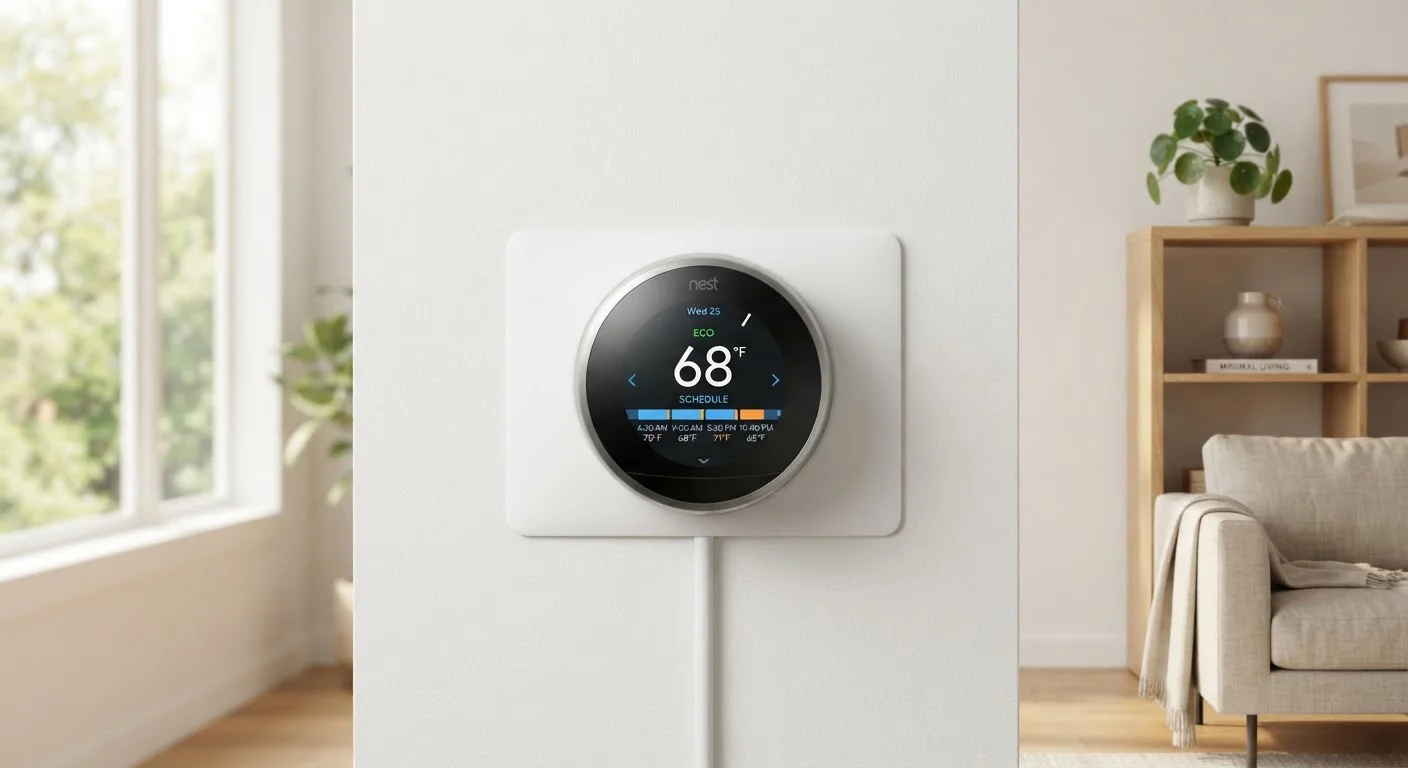
Photo: InfoAlly.net | Finding Info Made Easy editorial
Key Takeaways
- Smart thermostats observe your manual adjustments and occupancy patterns to build a personalized schedule over time.
- Most devices reach reliable automation within one to two weeks of consistent daily use.
- Motion sensors, phone location data, and humidity readings all contribute to smarter temperature decisions.
- You can speed up the learning curve by making deliberate, consistent adjustments rather than erratic ones.
- A stable Wi-Fi connection and correct installation placement are essential for accurate learning.
How Smart Thermostats Actually Learn
A smart thermostat is, at its core, a pattern-recognition system. It doesn't think or feel - it records inputs and uses algorithms to find repeatable structure in them. Every time you raise or lower the temperature, that action is timestamped and cross-referenced with other data points: time of day, day of week, whether motion was detected, and whether any connected phones are near home.
Over repeated days, the device looks for clusters - moments when you consistently prefer the same temperature. A preference for 68°F at 10 p.m. on weeknights, logged five nights in a row, becomes a scheduled event. The thermostat then begins executing that preference automatically, without waiting for your input.
Some models also incorporate humidity readings and local outdoor weather forecasts to anticipate when your HVAC will need to work harder. For a broader look at how connected home devices communicate and share data like this, see The Connected Home Explained.
Make Your Adjustments Consistent for Faster Learning
The learning algorithm is reset or disrupted by irregular behavior - a week of houseguests, an unusual schedule, or a vacation. It helps to manually override the schedule during such periods rather than letting the device infer incorrect patterns from atypical data.
What Affects Learning Accuracy
Several real-world factors determine how well your thermostat learns:
- Household size: More people means more varied preferences. Some thermostats handle this better than others by tracking multiple phones.
- Schedule regularity: A consistent daily routine produces cleaner, faster learning. Unpredictable schedules take longer to model accurately.
- Sensor placement: The thermostat reads the temperature where it's mounted - not throughout your home. If that location is unrepresentative of where you spend time, its readings will be skewed.
- HVAC system type: Heat pumps, for example, behave differently from gas furnaces in response time and efficiency. A thermostat that knows your system type can make smarter pre-conditioning decisions.
Placement Affects Everything
If you're new to smart home devices and want a foundational understanding before diving into thermostat setup, Smart Home Tech from Zero is a good place to start. And if you're thinking about which rooms to automate beyond temperature control, Rooms Worth Automating First can help you prioritize.
What you will need
Getting these fundamentals right before the learning window begins sets up the system to work with accurate data from day one.
Smartphone with Companion App
Used to configure settings, review learning history, and fine-tune the schedule the thermostat builds.
Home Wi-Fi Router
Provides the network connection that allows the thermostat to sync data, receive updates, and use geofencing.
Voice Assistant Hub (e.g., smart speaker)
Allows hands-free temperature adjustments that are logged as learning inputs by the thermostat.
Complete the Initial Setup and Home Profile
Open the companion app and walk through the full onboarding survey. Enter your home's approximate square footage, the number of occupied floors, your HVAC system type, and a rough estimate of your typical weekday and weekend schedule. This baseline profile gives the thermostat a starting point so its early decisions are reasonable rather than random.
Enable Location Services and Geofencing
Grant the app permission to access your phone's location. Geofencing uses your phone's GPS to detect when you leave or approach home, allowing the thermostat to pre-condition the air before you arrive and reduce energy use when you're away. Most apps let you set a radius - typically between half a mile and five miles - that triggers these transitions.
Make Manual Adjustments Deliberately During the Learning Window
For the first one to two weeks, manually set the temperature whenever you feel too warm or too cool. These adjustments are the primary data the thermostat records. Each change logs the time, your location status, and any motion-sensor activity, building a picture of your preferences throughout the day.
Review the Auto-Generated Schedule in the App
After several days, open the app's schedule or history view. Most smart thermostats display the pattern they've inferred as a visual weekly schedule. Review it for obvious errors - for example, a setback that triggers too early before you actually go to bed, or a warm-up that begins after you've already left for work. Edit these directly in the app.
Adjust Sensor Sensitivity Settings if Available
Some thermostats allow you to tune how aggressively the motion or occupancy sensors influence decisions. If you work from home and the thermostat keeps triggering an 'away' setback, increase sensor sensitivity or adjust the away-trigger delay in the app settings. These refinements prevent the device from misclassifying a still, home-based worker as absent.
Monitor Energy Reports and Refine Over Seasons
Most companion apps provide weekly or monthly energy usage summaries. Use these reports to spot inefficiencies - long run times, frequent temperature swings, or patterns that don't match your actual comfort. Seasonal changes in your routine (school years, remote work periods, guests) are good moments to manually update the schedule so the thermostat doesn't need to relearn from scratch.
Don't Skip the Initial Setup Survey
The content on this site is for informational purposes only and is not a substitute for professional advice. Always consult a qualified professional for guidance specific to your situation.