
Smart Home Tech from Zero: A Homeowner's Starting Point

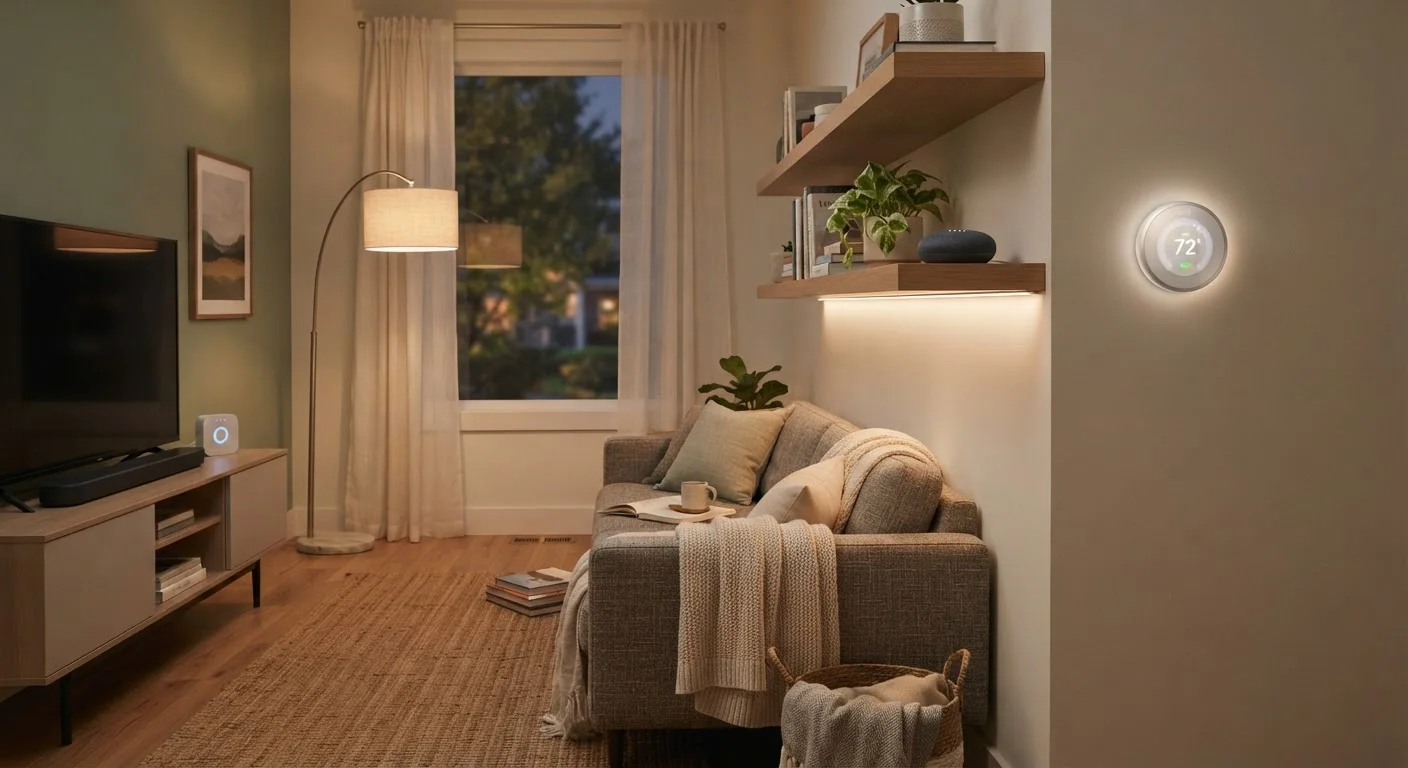
Photo: InfoAlly.net | Finding Info Made Easy editorial
Key Takeaways
- A smart home is simply a home where devices can be controlled remotely or automatically through internet connectivity.
- Most beginners do best starting with one or two devices rather than automating everything at once.
- Smart devices use wireless protocols like Wi-Fi, Zigbee, or Z-Wave to communicate - knowing the difference helps you plan.
- Compatibility between devices matters - check ecosystems before you purchase anything.
- Privacy and security are real considerations; review how any device handles your data before connecting it.
What 'Smart Home' Actually Means
A smart home is simply a residence where some devices can connect to the internet and be monitored or controlled remotely - through a smartphone, voice command, or automated schedule. That's it. The term sounds technical, but the concept is straightforward: instead of walking across the room to flip a switch, you can do it from your couch or from across town.
What separates a smart device from a regular one is its ability to send and receive information. A standard light bulb just glows. A smart bulb can dim itself at sunset, respond to your voice, or turn on automatically when you walk in the door. The underlying magic is connectivity - and understanding that is the real starting point.
For a deeper look at the broader picture, The Connected Home Explained covers exactly what these devices do and why homeowners are increasingly adopting them.
Smart device
Any household device that connects to the internet and can be controlled remotely or automatically, rather than only by hand.
Ecosystem
A family of smart home products and apps from a particular company or platform designed to work together. Devices from different ecosystems may not always be compatible.
Hub
A central device that acts as a translator and coordinator between smart devices, especially those using Zigbee or Z-Wave protocols, and your home network.
Protocol
The wireless language a smart device uses to send and receive information - examples include Wi-Fi, Zigbee, Z-Wave, and Bluetooth.
Automation
A rule or schedule you set up so that a device acts on its own - for example, lights that turn on at sunset without you doing anything.
Matter
An industry-wide connectivity standard designed to make smart home devices from different brands work reliably together without complicated workarounds.
The Most Common Smart Home Device Categories
Smart home technology covers a wide range of products. Here are the categories most homeowners encounter first:
- Smart lighting: Bulbs, switches, and plugs that can be controlled remotely or set to schedules. Often the most affordable and easiest entry point.
- Smart thermostats: Devices that learn your temperature preferences and adjust heating or cooling automatically, potentially improving comfort and energy efficiency.
- Smart speakers and displays: Voice-activated devices that play music, answer questions, and can control other smart gadgets. If you're new to these, our guide to smart speakers for non-technical users is a helpful companion read.
- Smart security: Cameras, video doorbells, smart locks, and motion sensors. These range from simple plug-and-play cameras to full security systems. Our complete guide to smart home security systems covers this category in depth.
- Smart plugs and power strips: Adapters that make ordinary appliances remotely controllable - a practical way to make existing devices smarter without replacing them.
You don't need devices in every category. Most people find that two or three well-chosen devices deliver meaningful everyday value.
How Smart Devices Connect and Communicate
Smart devices don't all communicate the same way. Understanding the main wireless protocols helps you avoid compatibility headaches later.
- Wi-Fi
- The same network your phone and laptop use. Most entry-level smart devices connect via Wi-Fi because it requires no additional hardware. The tradeoff is that many Wi-Fi devices can strain a busy home network.
- Zigbee and Z-Wave
- Lower-power wireless protocols designed specifically for smart home devices. They use less battery, can handle more devices, and often work even when your main internet connection is down - but they typically require a separate hub or bridge to connect to your smartphone.
- Bluetooth
- Short-range connectivity, useful for devices you control nearby. Range is limited and usually requires your phone to be close or a bridge device for remote access.
- Matter
- A newer interoperability standard backed by major tech companies. It aims to let devices from different brands work together reliably. What Matter means for smart home devices explains this standard and its current real-world limits.
You May Not Need a Hub Right Away
Where to Begin: A Practical First Step
The most common mistake new smart home adopters make is trying to automate everything at once. A more effective approach is to start with a single use case that maps to something you actually find inconvenient today.
Ask yourself: Is there a repetitive task in my home I'd love to stop doing manually? Turning off lights you always forget, adjusting the thermostat before bed, or seeing who's at the door without getting up - any of these is a valid starting point.
Pick one device category, get it working reliably, and build from there. Once you're comfortable with your first device, you'll have a much clearer idea of where automation would genuinely help next. Our article on which rooms to automate first can help you prioritize.
When you're ready to move beyond a single device, the step-by-step setup guide for first-time smart home owners walks through hubs, apps, and device pairing in the right sequence.
Start With One Problem, Not One Category
What to Think About Before You Buy Anything
Before adding any device to your home network, it's worth pausing to ask a few questions. Compatibility and privacy are the two areas where beginners most often run into trouble.
Compatibility
Smart devices often work within ecosystems - groups of devices and apps designed to work together. A device built for one ecosystem may work only partially, or not at all, with a different one. Before purchasing, confirm that a device works with the assistant or hub you already have, or plan to use.
Privacy and Data
Smart devices collect data - about your schedule, your home, sometimes even audio or video. Before connecting a device, it's reasonable to check what data it collects, where that data is stored, and how long it's kept. Reputable manufacturers publish privacy policies; reading even a summary is worthwhile.
Our compatibility and privacy checklist provides eleven specific questions to run through before committing to any new smart device.
Don't Ignore Firmware Updates
Frequently Asked Questions
The content on this site is for informational purposes only and is not a substitute for professional advice. Always consult a qualified professional for guidance specific to your situation.