
The Complete Guide to Smart Home Security Systems

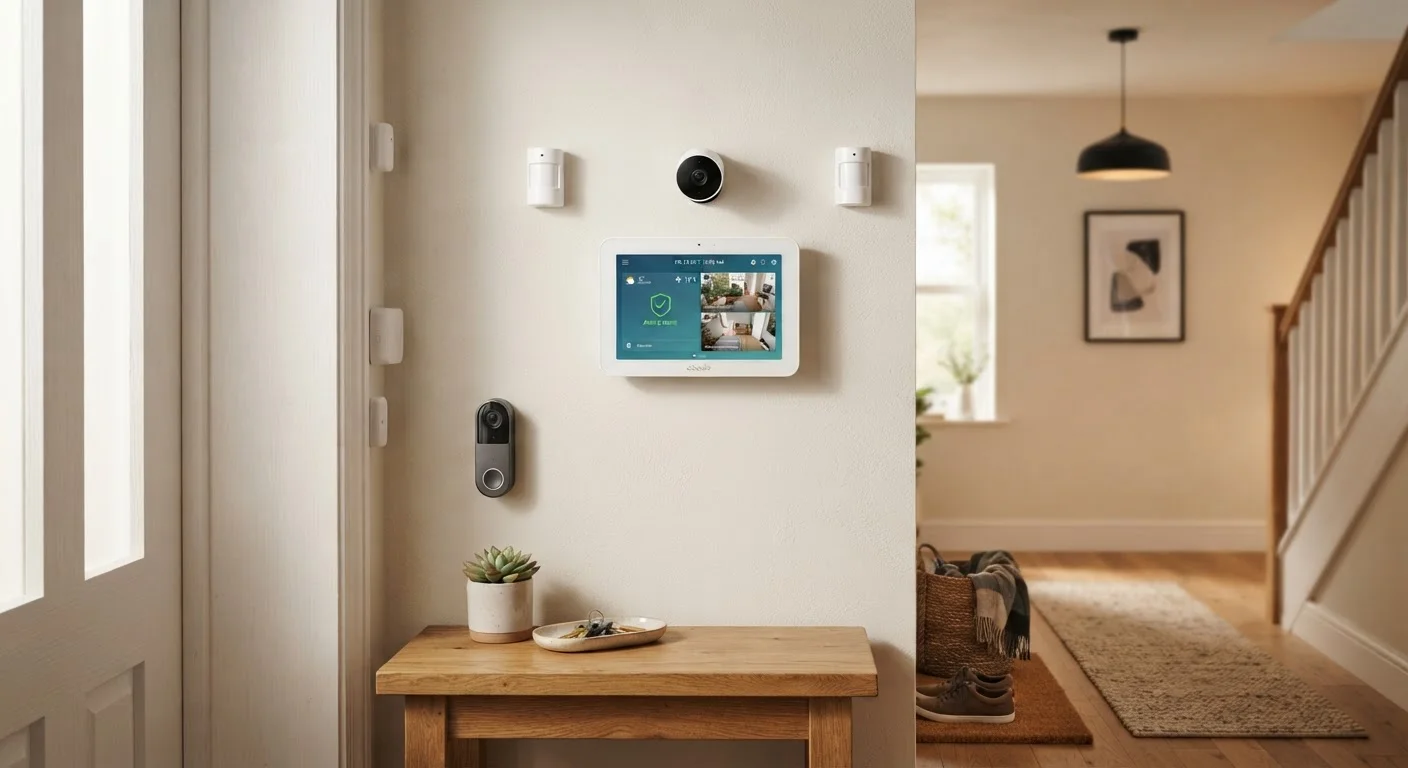
Photo: InfoAlly.net | Finding Info Made Easy editorial
Key Takeaways
- Smart security systems combine cameras, sensors, alarms, and a central hub into one coordinated network.
- You can choose self-monitored or professionally monitored setups-each has meaningful trade-offs.
- Most systems communicate over Wi-Fi, Z-Wave, or Zigbee protocols, affecting range and reliability.
- Understanding your home's layout before buying prevents coverage gaps and wasted spending.
- Privacy settings and data storage choices are as important as the hardware itself.
What Is a Smart Home Security System?
A smart home security system is a network of devices - cameras, door and window sensors, motion detectors, and alarms - that communicate with each other and with you through a central hub and a smartphone app. Unlike older standalone alarms, smart systems are connected: they can send real-time alerts, let you check live video from anywhere, and respond automatically to triggers you define.
If you're new to connected devices in general, our plain-language overview of smart home technology explains how these devices talk to each other and why homeowners are adopting them. Security is one of the most compelling entry points because the value is immediately tangible.
~34%
U.S. households with a security system
Roughly one in three American homes has some form of security system installed, according to industry research from the Electronic Security Association.
2-3 min
Average police response time to alarm calls
Response times vary significantly by location and call priority; professional monitoring centers can provide context that prioritizes dispatch.
60%
Of break-ins occur at entry doors or windows
FBI crime data consistently shows that doors and ground-floor windows are the primary entry points targeted in residential burglaries.
Core Components and How They Work
The Hub (Control Panel)
The hub is the brain. Every sensor and camera reports to it, and it decides what action to trigger - sounding a siren, sending a push notification, or alerting a monitoring center. Some hubs are standalone boxes; others are built into a touchscreen panel mounted near your front door.
Cameras
Security cameras fall into two broad types: indoor cameras for monitoring living spaces, and outdoor cameras designed to withstand weather. Most modern cameras record in HD, offer night vision, and store footage either locally (on a memory card or hard drive) or in the cloud. Video doorbells are a popular variation - they cover the front door and let you see and speak to visitors remotely.
Sensors
Door and window sensors are small two-part magnets: when the door opens, the magnet separates and triggers an alert. Motion sensors use passive infrared (PIR) technology to detect the heat signature of a moving person. Glass-break sensors listen for the specific acoustic frequency of shattering glass. Each type covers a distinct vulnerability.
Sirens and Keypads
An audible siren deters intruders and alerts neighbors. A keypad - physical or touchscreen - lets household members arm and disarm the system using a PIN code. Many systems also support key fobs or smartphone-based disarming.
When placing motion sensors, mount them in corners at roughly 7-8 feet high - this gives the widest detection arc and reduces false triggers from pets moving along floor level.
Test your sensors monthly by deliberately opening a covered door or window while the system is armed in a 'test mode' - this confirms the sensor is still communicating with the hub.
Monitoring Options: DIY vs. Professional
Once your system detects something, who responds? You have two broad paths:
- Self-monitoring: Alerts go straight to your phone. You decide whether to call emergency services. There are no monthly fees, but it relies entirely on you being reachable and available.
- Professional monitoring: A staffed monitoring center receives alerts around the clock. If they can't reach you or you confirm an emergency, they contact police or fire services on your behalf. This typically involves a monthly subscription fee.
Neither option is universally superior. Self-monitoring suits renters or people who travel rarely and check their phones often. Professional monitoring adds a meaningful safety layer for households where a missed alert could have serious consequences - particularly if you travel frequently or have dependents at home.
Don't Rely Solely on App Notifications
How Everything Connects Together
Smart security devices communicate using wireless protocols. The three most common are:
- Wi-Fi
- High bandwidth - ideal for cameras that stream video. Devices connect directly to your router, so no separate hub is required. Can strain router capacity if you have many devices.
- Z-Wave
- A low-power mesh network designed for sensors and locks. Devices relay signals through each other, extending range. Requires a compatible hub.
- Zigbee
- Similar to Z-Wave in concept - mesh-based and low-power - but operates on a different radio frequency. Some hubs support both Zigbee and Z-Wave simultaneously.
Most consumer-grade systems use a mix: cameras on Wi-Fi, sensors on Z-Wave or Zigbee. The hub translates between them so everything appears in one app. If you're planning a broader smart home setup, our guide to setting up a smart home for the first time walks through hubs, apps, and pairing in the right sequence.
Privacy and Data Considerations
Security cameras and sensors collect sensitive data about your home and the people in it. Before installing any system, it's worth understanding where that data goes.
- Cloud storage: Footage is uploaded to the manufacturer's servers. Convenient for remote access, but you're trusting a third party with your home video. Review the provider's data retention and sharing policies carefully.
- Local storage: Footage stays on a device in your home - a microSD card or network-attached storage (NAS). More private, but footage could be lost if a device is stolen or damaged.
- Access controls: Use strong, unique passwords and enable two-factor authentication (2FA) on any app that controls your cameras or hub. An unsecured camera is a security liability, not an asset.
Secure Your Accounts Before Your Home
For a broader picture of how smart devices share data across your home network, see our homeowner's starting point for smart home tech.
Planning Your System
The most effective security systems are planned around the specific layout and risks of a particular home, not assembled from a generic checklist. Consider the following before purchasing anything:
- Walk your perimeter. Identify every ground-floor entry point - doors, windows, attached garage - as a minimum sensor coverage area.
- Find your camera angles. One well-placed outdoor camera covering a driveway and front door often provides more value than three cameras with overlapping fields of view.
- Assess your internet reliability. Wi-Fi cameras are only as reliable as your broadband connection. If your internet goes down frequently, look for systems with cellular backup.
- Think about expansion. Choose a hub and protocol that allows you to add sensors and cameras later as your needs evolve, rather than locking you into a closed ecosystem.
Smart security is ultimately about making your home's vulnerabilities visible and manageable. A thoughtfully planned system - even a modest one - gives you meaningful, real-world peace of mind.
Start Small, Then Expand
The content on this site is for informational purposes only and is not a substitute for professional advice. Always consult a qualified professional for guidance specific to your situation.