
Voice Assistants vs. Dedicated Apps: How You'll Actually Control Your Smart Home

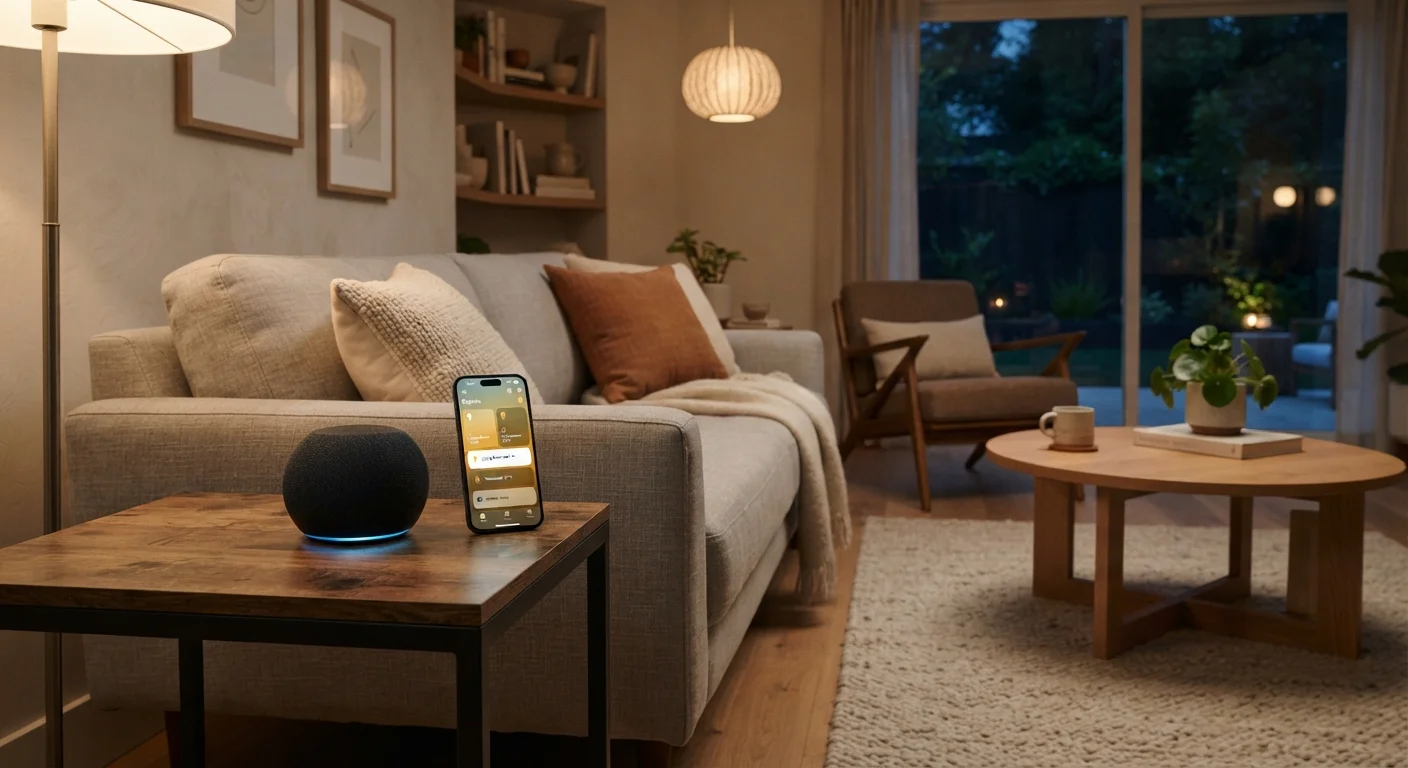
Photo: InfoAlly.net | Finding Info Made Easy editorial
Key Takeaways
- Voice assistants excel at quick, hands-free commands but struggle with complex or multi-step instructions.
- Dedicated apps offer precise control and configuration that voice simply cannot replicate.
- Network reliability affects both methods, but app control typically degrades more gracefully offline.
- Most homeowners benefit from using both methods together rather than choosing just one.
- Privacy considerations differ meaningfully between always-on microphones and on-demand app access.
Why This Choice Matters More Than It Seems
When people set up their first smart devices, they often assume one control method will naturally take over. In practice, the choice between voice and app control shapes how reliable and enjoyable your setup feels day to day. If you haven't already read what smart home tech actually does, that's a useful starting point before diving into control methods.
Voice assistants - the software behind smart speakers and built-in phone assistants - let you speak commands out loud. Dedicated apps are the manufacturer or platform applications you install on your phone or tablet. Both connect to the same devices, but they do fundamentally different things well.
| Criterion | Voice Assistants | Dedicated Apps |
|---|---|---|
| Ease of quick commands | Excellent - speak naturally | Good - requires unlocking phone |
| Device setup & configuration | Very limited | Full control |
| Scheduling & automations | Basic via pre-built routines | Detailed and flexible |
| Works without internet | Rarely - cloud-dependent | Often - local network access |
| Privacy profile | Always-on microphone | On-demand only |
| Learning curve | Low - natural language | Moderate - varies by platform |
| Multi-room management | Good with pre-set groups | Visual layout, more precise |
Where Voice Assistants Genuinely Shine
Voice control earns its place in the home through speed and convenience. Asking a voice assistant to dim the living room lights, lock the front door, or start a playlist requires zero screen time. That frictionless quality matters most when your hands are full, when you're in another room, or when someone in your household finds touchscreen navigation awkward.
Voice assistants also handle grouping well - commands like "turn off all the downstairs lights" work because the assistant understands the device groups you've configured. And for routines you've pre-built ("good morning" triggering lights, thermostat, and a news briefing simultaneously), a single spoken phrase is genuinely efficient.
~35%
U.S. adults using smart speakers
According to Pew Research Center data, roughly a third of American adults report owning a smart speaker, underscoring how common voice control has become in everyday homes.
3-5 sec
Typical voice command response time
Industry testing generally finds that voice assistant responses to smart home commands average between three and five seconds, varying by network speed and assistant platform.
The limitations are real, though. Voice recognition varies with accents, background noise, and phrasing. More importantly, voice assistants are poor at configuration tasks - you can't use your voice to set a schedule, add a new device, or adjust color temperature precisely. For that, you need an app.
What Dedicated Apps Do That Voice Can't
An app gives you a visual map of your home. You can see which lights are on, set a thermostat to a specific temperature, schedule the robot vacuum for 10 a.m. on weekdays, or create an automation that triggers when a door sensor opens after sunset. None of those tasks translate cleanly to a voice command.
Apps also handle onboarding - connecting new devices, naming rooms, and assigning devices to groups all happen inside the app first. Voice assistants then inherit those settings. Think of the app as the place where you build the system, and voice as one way to operate it once it's built.
For households juggling multiple device brands, platforms like those discussed in choosing a smart home ecosystem often provide a single app as the unifying layer - making app fluency especially valuable.
One practical edge apps hold: offline resilience. Many apps can send commands directly to devices on your local network even if your internet connection drops, whereas most voice assistants require a cloud connection to function at all.
When Your Internet Goes Down
Privacy: An Honest Look at the Tradeoffs
Voice assistants that use a wake word - a trigger phrase like "Hey" followed by the assistant's name - keep a microphone active and listening for that phrase at all times. The audio processing often happens on remote servers. This is a deliberate design choice, not a flaw, but it's worth understanding before placing a smart speaker in every room.
Dedicated apps, by contrast, only transmit data when you actively open them and interact. That's a meaningful difference for anyone uncomfortable with ambient audio capture. Neither method is inherently unsafe, but they carry different privacy profiles that are worth factoring into your setup - particularly in bedrooms or offices where sensitive conversations occur.
If you're weighing smart speakers versus portable Bluetooth speakers, the microphone question is equally relevant there.
Building a Setup That Uses Both Well
The most practical approach isn't a binary choice - it's knowing which tool to reach for in each situation. Use voice for quick, repeated actions: lights, locks, music, brief status checks. Use the app for anything involving configuration, scheduling, troubleshooting, or decisions that benefit from seeing your whole home at once.
A useful mental model: the app is your control panel; voice is your shortcut keyboard. One builds and maintains the system; the other lets you operate it with minimal friction in the moment. As you expand your setup - perhaps starting with the rooms that benefit most from automation - you'll naturally develop habits around both.
Some homeowners add a dedicated hub to sit between their devices and both control methods, which can improve reliability and expand compatibility. Home automation hubs are worth exploring once your device count grows beyond a handful.
The content on this site is for informational purposes only and is not a substitute for professional advice. Always consult a qualified professional for guidance specific to your situation.