
The Everyday Consumer's Introduction to Wearable Technology

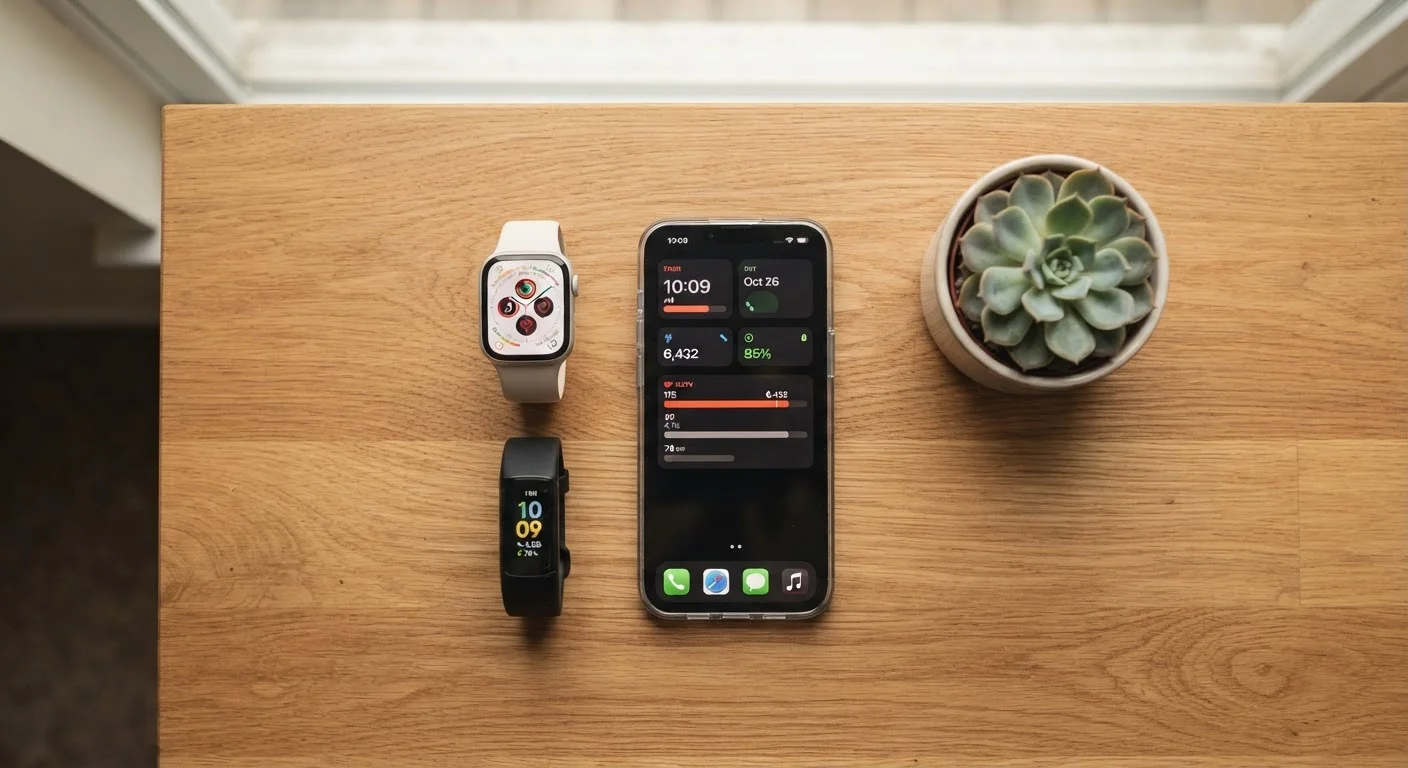
Photo: InfoAlly.net | Finding Info Made Easy editorial
Key Takeaways
- Wearables are body-worn devices that passively collect data and surface it through a companion app.
- Fitness trackers, smartwatches, and earbuds with health features are the most common consumer wearables.
- The data they produce is useful for spotting trends but is not a substitute for medical evaluation.
- Battery life, comfort, and smartphone compatibility are the most practical factors to weigh before choosing one.
- Wearable usefulness depends heavily on whether you'll actually wear it consistently.
What Is a Wearable Device?
A wearable device is any piece of technology you wear on your body - most commonly on your wrist, but also as earbuds, rings, or clips - that continuously collects data about your movement, physiology, or environment. It then sends that data to a smartphone app where you can view trends over time.
Think of a wearable as a passive observer you strap on and forget about. Unlike your phone, which you actively pick up and use, a wearable works in the background - counting steps while you walk to the kitchen, registering your pulse during a jog, or logging how long you slept. The value comes not from any single reading but from the patterns that emerge over days and weeks.
Wearable device
A piece of technology worn on the body that collects data - such as movement or heart rate - and sends it to a companion app on your smartphone.
Biometric sensor
A small sensor inside a wearable that measures a physical signal from your body, like pulse, skin temperature, or blood oxygen levels.
SpO2
Short for blood oxygen saturation - a measure of how much oxygen your red blood cells are carrying. Many wearables estimate this using a light sensor pressed against the skin.
Companion app
The smartphone application that pairs with your wearable, displaying your data in charts and allowing you to customize device settings.
Resting heart rate
Your heart rate when you are calm and not exercising. Wearables typically measure this while you sleep and use it as a baseline health indicator.
IP rating
A standardized code indicating how resistant a device is to dust and water. For example, IP67 means the device can be submerged briefly in shallow water.
For a broader look at how wearables fit alongside smartphones in everyday routines, see the complete overview of phones and wearables in modern life.
The Main Types of Wearables
Consumer wearables fall into a few clear categories, each suited to different habits and priorities:
- Fitness trackers: Slim, wristband-style devices focused on steps, active minutes, heart rate, and sleep. Straightforward and typically long on battery life.
- Smartwatches: More capable devices that add smartphone notifications, apps, GPS, and richer health sensors to the tracker foundation. They look more like traditional watches.
- Smart earbuds: Earbuds that go beyond audio to measure heart rate or body temperature, and sometimes offer real-time audio coaching during workouts.
- Smart rings: Compact rings worn on a finger that track similar biometrics to wristbands in a more discreet form factor.
If you are new to wearables, it helps to know what the spec labels on the packaging actually mean. The practical glossary of gadget packaging terms breaks down common abbreviations like IP67 (water resistance rating) and Bluetooth version numbers.
Start Simple, Then Upgrade
How Wearables Fit Into Daily Life
For most people, a wearable becomes useful in three practical ways:
- Gentle nudges toward movement: Many devices vibrate or display a reminder when you've been sitting too long, which is a low-pressure way to build more activity into a sedentary workday.
- At-a-glance information: Checking a notification or the time with a quick wrist glance is faster than pulling out a phone - a small but real convenience during meetings or workouts.
- Long-term trend awareness: Seeing that your resting heart rate has trended upward over a month, or that your sleep duration dropped during a stressful week, can prompt useful conversations with a healthcare provider.
The honest look at living with a wearable covers both the genuine benefits and the friction points many users encounter after the initial excitement settles.
Usage patterns also shift over time. If you're curious about how people's needs evolve, wearables across life stages explores how priorities change from younger users to older adults.
What to Consider Before Getting One
Before choosing a wearable, the most useful questions are practical rather than spec-driven:
- Will you actually wear it every day?
- A wearable only generates useful data when worn consistently. If a bulky device would annoy you at night, a slim tracker or ring may suit you better.
- Which phone do you have?
- Some wearables work exclusively with iOS or Android. Check compatibility before assuming any device will pair with your phone.
- How often do you want to charge it?
- If charging is a chore, lean toward devices with longer battery life, even if that means fewer features.
- What data do you actually care about?
- Steps and sleep are enough for many people. There's no need to pay for advanced sensors you won't use.
Wearable Data Is Not a Medical Diagnosis
The Everyday Gadgets hub covers a wide range of practical devices that can simplify modern routines if you want to explore beyond wearables.
Understanding the Data Your Wearable Collects
Wearables generate a lot of numbers - steps, heart rate, SpO2 (blood oxygen saturation), sleep stages, and more. It's important to understand what these figures represent and where their limits are.
Consumer-grade sensors are designed for trend awareness, not clinical precision. A spike in your resting heart rate over several days might be worth noting; a single unusual reading is rarely meaningful. Treat the data as a prompt to pay attention, not as a diagnosis.
To go deeper on exactly what each sensor measures and how reliable those readings are, the article what wearable health sensors actually measure - and what they can't is a clear next step. Sleep tracking in particular deserves careful interpretation - wearables and sleep: what the data shows explains how to read those numbers without over-relying on them.
The information in this article is for general educational purposes only and is not medical advice. If you have questions about your health, consult a qualified healthcare professional.
Frequently Asked Questions
The content on this site is for informational purposes only and is not a substitute for professional advice. Always consult a qualified professional for guidance specific to your situation.