
Smart Locks vs. Traditional Deadbolts: What Changes When Your Door Thinks

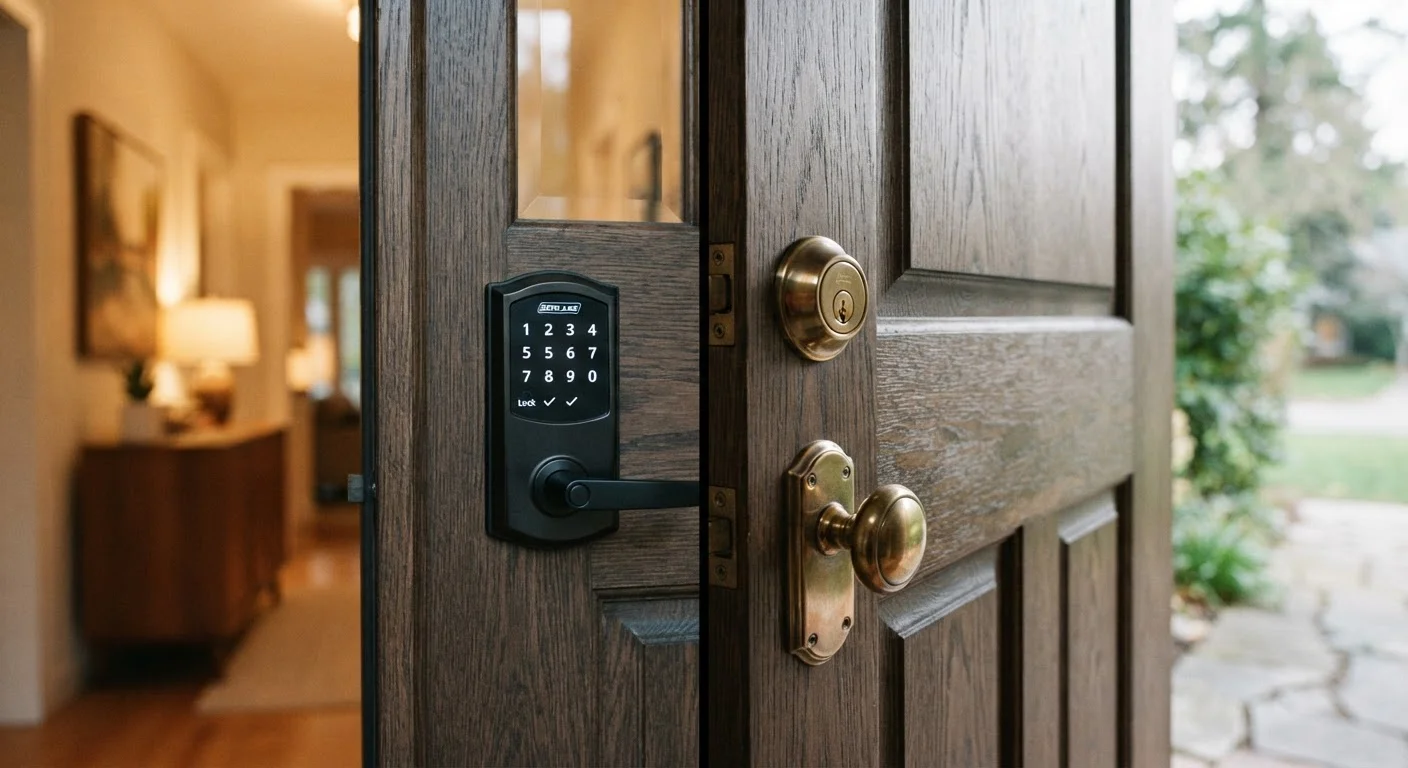
Photo: InfoAlly.net | Finding Info Made Easy editorial
Key Takeaways
- Smart locks add convenience features like remote access and temporary codes, but depend on power and software.
- Traditional deadbolts are reliable and tamper-resistant, but offer no remote control or access logging.
- Physical security strength depends far more on door frame and lock grade than on smart vs. mechanical technology.
- Smart locks introduce a digital attack surface that requires ongoing software and network maintenance.
- Cost and installation complexity are meaningfully higher for smart locks than for standard deadbolts.
How Each Lock Actually Works
A traditional deadbolt is a purely mechanical device. When you turn the key, a metal bolt extends into the door frame's strike plate. No electricity, no software, no network - just metal meeting metal. A smart lock replaces or layers over that mechanism with an electronic actuator that can receive commands from a keypad, smartphone, key fob, or even voice assistant.
Most smart locks still contain a physical key cylinder as a backup, so they're not entirely divorced from mechanical principles. The key difference is the addition of a radio layer - typically Bluetooth, Z-Wave, Zigbee, or Wi-Fi - that allows the lock to communicate with other devices. For a broader explanation of how these protocols fit into the wider home network picture, see what smart home tech actually does.
| Criterion | Smart Lock | Traditional Deadbolt |
|---|---|---|
| Entry method | App, keypad, key fob, or key | Physical key only |
| Remote access | Yes, via smartphone | No |
| Access logging | Yes, timestamped entry records | No |
| Power dependency | Requires batteries | None |
| Digital attack surface | Yes - firmware and network | None |
| Typical upfront cost | $100-$300+ | $30-$80 |
| Installation complexity | Moderate (hub setup possible) | Low (screwdriver only) |
| Works during power outage | Yes (battery-powered) | Yes (fully mechanical) |
Convenience: Where Smart Locks Pull Ahead
The most immediate advantage of a smart lock is access flexibility. You can unlock the door from a car, a hotel room, or across the country. You can generate a one-time or time-limited code for a dog walker, then deactivate it without exchanging a physical key. Many models log every entry, so you know exactly when each code was used.
Auto-lock features - where the door locks itself after a set interval - are popular with households that frequently forget. Proximity unlocking (where the door senses your smartphone approaching and disengages automatically) is available on some models, though it introduces its own reliability quirks depending on phone battery and Bluetooth range.
~12 months
Typical smart lock battery life
Most manufacturers estimate six to twelve months of battery life under average residential use, though heavy traffic or cold weather shortens this.
Grade 1
Highest ANSI/BHMA lock security rating
ANSI/BHMA Grade 1 is the top tier for residential deadbolts, denoting resistance to forced entry, picking, and wear - available in both smart and traditional form factors.
Traditional deadbolts offer none of this. If you lose a key, you must rekey or replace the cylinder. If you want to let someone in while you're away, you either hide a key or rely on a neighbor.
Security: The Real-World Picture
A common assumption is that smart locks are inherently more or less secure than deadbolts. In practice, the physical security of either depends primarily on the lock grade (ANSI/BHMA Grade 1 being the most resistant to forced entry) and the quality of the door frame and strike plate. A Grade 1 deadbolt with a reinforced strike plate is more resistant to kick-in attacks than an entry-level smart lock - or vice versa, depending on hardware quality.
What smart locks do introduce is a digital attack surface. Vulnerabilities in firmware, weak encryption, or a poorly secured home network can theoretically be exploited. This doesn't mean smart locks are unsafe, but it does mean security is an ongoing responsibility rather than a one-time installation. Keeping firmware updated and your Wi-Fi network properly configured matters. Good network hygiene practices directly affect how well a smart lock holds up over time.
The Door Frame Often Matters More
Reliability, Power, and What Happens When Things Go Wrong
Deadbolts are famously reliable. They work in power outages, require no software updates, and have no batteries to die. The failure modes are limited: a worn cylinder, a misaligned bolt, or a broken key. All are fixable by a locksmith in minutes.
Smart locks depend on batteries - most use standard AA or AAA cells and can last six months to a year under typical use, though cold climates and frequent use drain them faster. Most models display a low-battery warning and retain a mechanical key override, so a dead battery isn't a lockout - as long as you have your key. What can cause a genuine headache is a software bug, a failed firmware update, or a cloud-service outage that prevents app control. These scenarios are uncommon but worth understanding before committing.
Smart locks exist within a broader ecosystem that carries its own maintenance burden. Common misconceptions about smart home ownership - including the idea that devices are "set and forget" - are worth examining before purchase.
Cost and Installation
A quality ANSI Grade 1 deadbolt typically costs between $30 and $80 and can be installed with a screwdriver in under 30 minutes. Smart locks span a much wider range - from around $100 to $300 or more depending on features - and installation, while still DIY-friendly for most standard door preparations, can require additional steps if you're integrating with a smart home hub.
Ongoing costs differ too. Deadbolts need nothing after installation. Smart locks may require periodic battery replacement, occasional paid app subscriptions for advanced features, and eventual replacement as software support ends - a lifecycle consideration that physical locks simply don't have.
If you're weighing smart locks as part of a broader home security setup - including cameras, sensors, and alarms - the complete guide to smart home security systems covers how all these components work together. And if a smart doorbell is already part of your plans, smart doorbells raise similar convenience and privacy trade-offs worth considering alongside your lock choice.
The content on this site is for informational purposes only and is not a substitute for professional advice. Always consult a qualified professional for guidance specific to your situation.