
Wi-Fi, Zigbee, Z-Wave, and Thread: The Wireless Protocols Behind Smart Devices

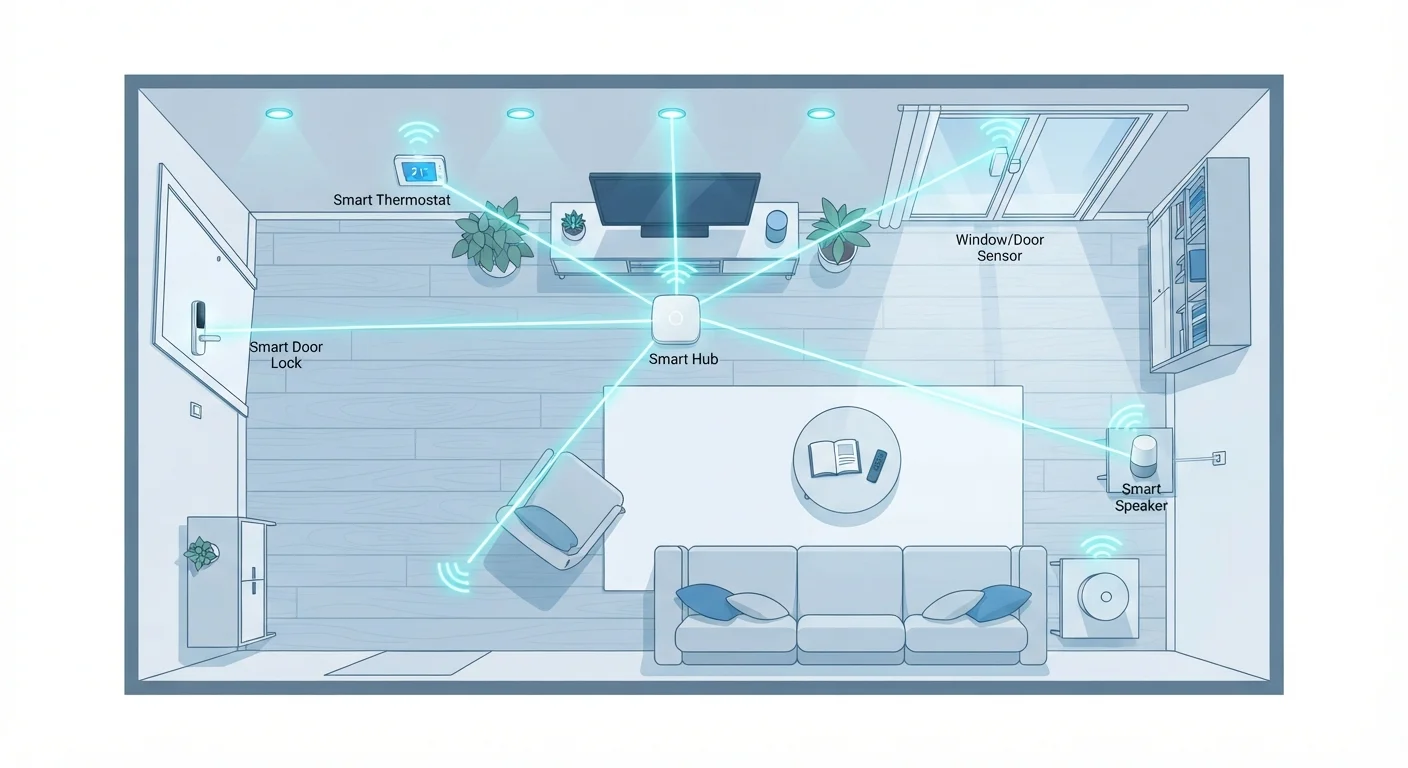
Photo: InfoAlly.net | Finding Info Made Easy editorial
Why the Protocol Matters Before You Buy
Every smart home device uses a wireless protocol - a shared radio language - to send and receive commands. If two devices don't speak the same protocol, they can't communicate directly, no matter how advanced they are individually. Before adding devices to your home, understanding these four protocols will save you from compatibility dead-ends.
For a broader introduction to how smart devices communicate, see what smart home tech actually does. This article focuses specifically on the radio layer underneath all of it.
| Wi-Fi typical frequency | 2.4 GHz or 5 GHz |
| Zigbee frequency | 2.4 GHz (globally) |
| Z-Wave frequency (US) | 908.42 MHz |
| Thread frequency | 2.4 GHz |
| Z-Wave max device limit | 232 devices per network |
| Zigbee mesh support | Yes - devices relay signals |
| Thread standard backing | CSA (Connectivity Standards Alliance) |
| Wi-Fi hub required | No - connects directly to router |
Wi-Fi: Familiar but Power-Hungry
Wi-Fi smart devices connect directly to your home router - no additional hub required. That makes setup straightforward, and these devices can handle data-heavy tasks like streaming video from a doorbell camera or displaying content on a smart display.
The trade-off is power consumption. Because Wi-Fi radios draw relatively high current, Wi-Fi devices almost always need a permanent power source. Battery-operated Wi-Fi sensors drain quickly. Wi-Fi also adds every device directly to your router's device list, which can strain older or budget routers in larger homes.
Best suited for: Video doorbells, smart displays, plug-in cameras, and any device that needs to move large amounts of data or stay continuously connected to the internet.
Protocols and Ecosystems Are Not the Same
Zigbee and Z-Wave: Mesh Protocols Built for Low Power
Both Zigbee and Z-Wave use mesh networking - each powered device on the network can relay signals for other devices, extending range without extra hardware. This makes them well-suited for sensors, smart bulbs, locks, and other devices scattered around a home.
Zigbee operates on the 2.4 GHz band and is used by a wide range of manufacturers. Because it's an open standard, many different companies build Zigbee devices, which means good product variety. However, Zigbee implementations can vary between manufacturers, so not every Zigbee device is guaranteed to work with every Zigbee hub.
Z-Wave operates on a lower frequency (908 MHz in the US), which helps it avoid interference from Wi-Fi and Bluetooth. Z-Wave devices go through mandatory interoperability certification, meaning Z-Wave products from different brands are designed to work together reliably. The ecosystem is smaller than Zigbee's, but consistency is its strength.
Both protocols typically require a hub to bridge communication to your Wi-Fi network and control apps. Learn more about what smart home hubs actually do and whether your setup needs one.
Wireless protocol
A set of rules that defines how devices send and receive signals to communicate with each other. Think of it as the shared language two devices must agree on before they can talk.
Mesh network
A network where multiple devices relay signals between one another rather than all connecting to a single central point. This extends range and improves reliability.
Hub
A dedicated device that acts as a central translator or coordinator, allowing smart home devices using one protocol to communicate with your router or with devices on another protocol.
Thread
An IP-based mesh networking protocol designed for low-power smart home devices. Unlike older protocols, Thread routes data using internet-standard addressing, making it more scalable and future-ready.
Matter
An open smart home standard supported by major tech ecosystems. Matter runs on top of Thread (or Wi-Fi) to allow devices from different manufacturers to work together without switching apps or hubs.
Frequency band
The portion of the radio spectrum a wireless protocol uses to transmit signals. The choice of frequency affects how far a signal travels and how much it is affected by interference.
Thread: The Modern Mesh Standard
Thread is a newer mesh protocol designed specifically for smart home devices. Unlike Zigbee and Z-Wave, Thread uses IP-based addressing - the same underlying system used on the internet - which makes devices easier to integrate across different platforms and ecosystems.
Thread itself doesn't define how you control devices; it's purely the radio transport layer. The Matter standard (backed by major tech companies through the Connectivity Standards Alliance) runs on top of Thread to provide cross-ecosystem compatibility. A Matter-over-Thread device can work with multiple smart home platforms without requiring separate apps or hubs for each brand.
Thread networks require at least one border router - a device that bridges Thread to your Wi-Fi network. Many newer smart speakers and hubs already include Thread border router functionality built in.
If you're just beginning to build a smart home and want to plan for long-term compatibility, a homeowner's starting point walks through how to approach your first purchases with protocol support in mind.
2.4 GHz
Shared frequency of Zigbee, Thread, and Wi-Fi
All three protocols share this band, which is why interference management is an important consideration for smart home setups.
~30 m
Typical indoor range for Zigbee and Z-Wave
Range varies by home construction and obstacles, but both protocols rely on mesh networking to extend coverage beyond a single hop.
4+
Years of battery life for some Z-Wave sensors
Z-Wave's low power consumption makes it a common choice for battery-operated sensors like door and window contacts.
Choosing the Right Protocol for Your Setup
There's no single correct answer - the right protocol depends on what you're trying to do and what devices you already own.
- Direct internet access needed, plug-in device: Wi-Fi is the simplest path.
- Battery-operated sensors or large numbers of devices: Zigbee or Z-Wave reduce power drain and scale well with mesh.
- Future-proofing and cross-brand compatibility: Thread and Matter offer the most flexibility as the standard matures.
- Mixing protocols: A capable hub can bridge multiple protocols under one app - a practical solution if your devices already use different languages.
Before adding any new device, it's worth running through a compatibility check. The compatibility and privacy checklist covers the key questions to ask before purchase. And if you're already experiencing dropped connections, the issues often trace back to protocol-level conflicts - see why smart home connections drop for practical troubleshooting guidance.
The content on this site is for informational purposes only and is not a substitute for professional advice. Always consult a qualified professional for guidance specific to your situation.